Showing posts with label Apple watch. Show all posts
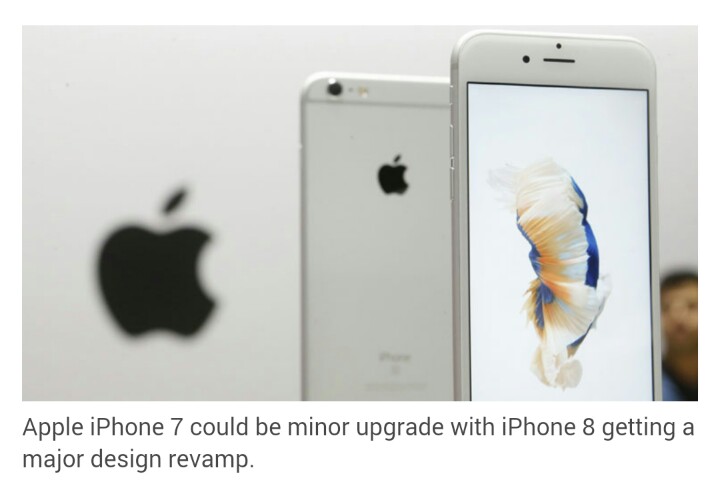
Apple iPhone 7 won’t see major design changes, instead it will be the iPhone 8 in 2017 that comes in a new design, points out a Wall Street Analysts report by Credit Suisse to investors.
According to Apple Insider, Credit Suisse expects “Apple to see a ‘muted’ upgrade cycle for the anticipated ‘iPhone 7,’ widely expected to launch in September.”
The report by analyst Kulbinder Garcha expects the 2017 iPhone (also the ten-year iPhone anniversary) to see a major design upgrade with a curved glass case housing, 5.8-inch AMOLED display. Apple Insider also points out rumours indicate Cupertino might just embed the Touch ID sensor, FaceTime camera, Speaker, all into the display.
The notes by Garcha reads, “We see a number of features and upgrades, including an OLED [organic light-emitting diode] screen, full glass display, no home button, enhanced Taptic Engine, improved camera, and wireless charging in the iPhone 8.”
While the Credit Suisse report predicts no major design upgrade for iPhone 7, recent ‘leaked’ photos of cases for the new iPhone claim Apple will introduce a dual-rear camera, and get rid of the 3.5 mm headphone jack.
A report says, the cases include space for a dual-rear camera in iPhone 7 Plus as well as the new “3-pin Smart Connector on the back of the device.” Earlier design leaks on Japanese blogs and magazines claimed Apple will introduce this new 3-pin Smart connector, which extends to the back of the device.
Where the 5.8-inch iPhone 7s or iPhone 8 go, this is not the first time reports hint at a glass design. An earlier report on Apple Insider, quoted KGI analyst Ming-Chi Kuo’s note, which stated the new iPhone will have a glass sandwich design like the iPhone 4s, but curved on the back and front.
His notes also said Apple could include new wireless charging, a rumour which has been speculated for quite sometime.
Another report from South Korea’s Electronic Times said LG Display, and the panel-making unit of Samsung Electronics will supply organic light emitting diode (OLED) screens for Apple’s iPhone. The report added, LG and Samsung Display are close to a final agreement with Apple for the screens, and the two Korean firms plan a combined 15 trillion won ($12.8 billion) in capital expenditure to build up OLED production capacity over the next two to three years.
Apple iPhone 7 launches in September 2016.
Must watch the following video for some 'leaked' photos of iPhone 8 and to get a closer look onto its features:
So what was the best feature Apple announced at the WWDC 2016 keynote? That’s a tough one to answer, given that there were so many new concepts being introduced over Apple’s four platforms — iOS, macOS, watchOS and tvOS.
However, the biggest takeway could be the fact that Apple was clearly leaning back on its decades old expertise in Artificial Intelligence and voice to give it an edge in modern day computing. So Siri was at the centre of attention during the keynote at the century-old Bill Graham Civic Centre in San Francisco. Siri will soon be available in the latest version macOS Sierra where it will be able to do everything from finding and opening documents and pulling up all kinds of information.
Siri gets Smarter:
As was predicted, Apple is opening up Siri to third-party developers by making the SDK available to them. This means app developers can now create commands letting Siri interact with their app. Users will able to call for a cab in Uber or book a table on OpenTable, by using the Hey Siri command.
Apple’s SiriKit will help developers design their apps to work with Siri for messaging, phone calls, photo search, ride booking, personal payments and workouts, or use Siri to control CarPlay apps, access climate controls or adjust radio settings within automakers’ apps.
iPhone and iPad users will find that Siri will be able to do lot more on their devices with iOS 10 update.
Siri available to outside developers:
San Francisco: Apple Inc opened up its popular Siri digital assistant to outside developers on Monday, a move which means iPhone users soon could be able to hail rides with Uber, publish photos on Shutterfly or make a call on Skype with voice commands.
The move is the latest by the world's best-known technology company as it looks to spruce up the iPhone experience as sales of its best-selling product level off.
The announcement was greeted enthusiastically by thousands of developers at Apple's annual Worldwide Developers Conference in San Francisco.
Apple also gave a demonstration of Siri on the Mac computer, which for the first time will be able to search for photos, documents, music and other files via voice commands. Siri will also work similarly with Apple TV.
The presentation was kicked off by Apple Chief Executive Tim Cook asking for a moment of silence for the victims of Sunday's mass shooting in Orlando, Florida.
That was followed up by a demonstration of a new operating system for the Apple Watch that opens apps much faster than the previous version, and lets users write messages with their finger on the watch face, including in Chinese.
Apple's Siri move was largely foreseen by analysts.
"What you are seeing is just a lack of enthusiasm around apps," said analyst Brian Blau of tech research company Gartner, before the event. "If a developer can get access to their customer wherever they are, whatever device they are on, that would be the best situation."
Siri is the most visible aspect of Apple's artificial intelligence program, or AI. Rivals such as Microsoft Corp and Alphabet Inc's Google are investing heavily in their own digital assistants, analysts say. The Worldwide Developers Conference gives Apple a chance to show off its technical prowess. "Apple just can't stand still in light of this competition," said analyst Tim Bajarin of Creative Strategies.
Apple acknowledged a number of developers' grievances this month by allowing ads in App Store search results, which gives them a way to stand out in a sea of apps. And it will give developers a bigger cut of revenues on subscription apps.
For more information must watch the following video :
- Apple unveiled iOS 10, the latest iteration of its mobile software, which includes a softer aesthetic, an interactive lock screen, and personalised home screen widgets.
- The software update also includes a revamp of Music, News, Maps and Home Kit.
- Siri launched on Mac, as it was given a massive makeover that includes voicemail transcription, image search and writing messages.
- WatchOS and tvOS have been redesigned too, with the Apple Watch becoming faster and more health-focused, and TV gaining enhanced search.
- OS X was rebranded macOS, the next generation of which will be called Sierra and come complete with Siri, Apple Pay and auto-unlock. A host of new features also make it easier to work across Apple devices.
Summary :
Apple has revealed plans for all its devices in the coming year including a more intelligent Siri and Messages app, quicker Apple Watch and easier to use laptops.
At the technology firm's annual software conference, WWDC, chief executive Tim Cook and fellow executives revealed software updates for all of Apple's products - iPhone, iPad, Mac computers, Apple Watch and Apple TV - with Mr Cook saying the company's work "should lift humanity".
The annual refresh of the mobile operating system saw iOS 10 unveiled. The most prominent feature revolves around the Messages app, which has seen its interactivity expanded. Users will be able to replace words with emoji in a single tap, and send handwritten notes, while special "invisible ink" messages will appear when the screen is swiped, and animations can be added to a conversation that fill the entire screen.
The app has also been opened to developers for the first time so it can be used to complete financial transactions and other tasks.
The move is seen by some as a response to the growing popularity of other messaging apps, including WhatsApp and Facebook Messenger.
As part of the update to Apple's desktop computer software, OS X was renamed macOS, with this year's version named Sierra after the mountain range that spans California and Nevada.
Siri, Apple's voice-based virtual assistant, has been added to the Mac for the first time, as has the ability to pay using Apple Pay. An option to use the payment service will appear on websites, with confirmation requests sent to a user's phone, where they can use their fingerprint to authorise them.
Mac users will also be able to use their Apple Watch to unlock a Mac when in close proximity to their laptop.
Apple Music, the subscription-based streaming service launched at WWDC last year, was also given a redesign after many reported the app to be too confusing to use. A user's existing music library has been pushed to the front of the app, with more playlist suggestions being offered by Apple.
All the updates showcased are being made available to developers this week, ahead of free upgrades for all Apple customers in the autumn.
Mr Cook took time out at the beginning of the presentation to pay tribute to the victims of the Orlando shootings, telling the auditorium that Apple offered its "deepest condolences to everyone whose lives were touched by the violence", before leading a moment's silence in tribute.
India at WWDC
There was quite a bit of India at the WWDC keynote from Priyanka Chop featuring on the homescreen of the redesigned Apple Music app to Craig Federighi, Apple’s SVP Software Engineering (macOS, iOS 10), trying to order a deconstructed samosa from a Indian food cart using the revamped messaging app. Indian food ordering app Zomato found a mention when new features in Maps where being shown. However, there was more for the Chinese audience, as it is still a much bigger market for Apple.
Watch WWDC 2016 keynotes in the following video:
Second-generation smartwatches are already here, and while you might have resisted the lure of such technology so far, you might find yourself asking yourself every now and then, "Is it time for one?" Here we tell you about four new smartwatches available here. So go and take your pick...
Apple Watch
Apple's wearable simply called the Watch only works with iPhones running iOS 8.2 and later. Connecting it to the phone is simple and painless: Choose your language of choice and then through the Watch app on your handset use the camera to scan the graphic that appears on your smartwatch screen. There. You're done.
After you connect the watch to your iPhone, it stays connected. No repeat pairing required. To see the time, just lift your wrist and its screen lights up to display the watch face, time after time, without fail. As far as apps go, the Watch has a bouquet to choose from in categories such as fitness, weather, productivity , news, photography, astrology, education and reference that are customized for its smaller display . To interact with the device, swipe for notifications and for features like heart-rate monitor, activity tracker, weather report and more. A rotatable crown on the right side of its screen lets you customize watch faces, or scroll through options. Press this once, and you are presented with a beehive-like view of all your Watch apps. Long press, and Siri is activated. A button just below this crown gives you quick access to your favourite contacts, allowing you to send messages and initiate phone calls. The watch face is just as receptive to taps and touches.
It can remotely but within Bluetooth range trigger the camera app on your phone to shoot photos or a video. You can set it up to display alerts for your messages, appointments, e-mail, social networks and phone calls. And you can even dictate replies to messages. The Watch understands punctuations when you say “full stop“ and “comma“, and this makes all the difference when composing messages by voice. Of course, triggering Siri is as simple as saying “Hey Siri“, and it understands Indian accents.
Its microphone lets you answer calls, while its speaker is capable of sound that's amply loud to carry out short phone conversations. Take it off your wrist, and it locks up to protect your data, and can only be unlocked by the passcode you have set.
Simply put, the Apple Watch is by far the best smartwatch there is. It works flawlessly. It lets you get quite a few things done: `like' Instagram pics, see recent tweets, reply to SMS, check your calendar, heart rate, measure your physical activity and more.
On the downside, you have to charge it every day , and it costs a pretty penny.
Moto 360 (2nd gen)
The Moto 360 is designed to be an extension to the Android smartwatch in your pocket. And connecting the two devices to each other is rather effortless: Install the ndroid Wear app and enable Blue Android Wear app and enable Bluetooth on your phone; then, follow the on-screen instructions to complete set up. As soon as a link is established, all the apps on your device that support the Android Wear platform appear in a list on the smartwatch.
Google's services like Maps, Alarm, Calendar and more, can also be accessed and configured from the Moto 360 with a few taps or voice commands. Built-in Wi-Fi lets you receive notific tions with minimal lag even when Bluetooth is off.
You can even store songs on the Moto 360 via the Google Music app on your phone. Just pair it with a Bluetooth headset when you want to listen to music from the watch.
For the health conscious, it comes with an optical heart rate monitor just like the ones on the Apple Watch and the Samsung Gear S2 and its functions are tightly integrated a with Moto Body and Google's Fit app. i Besides, its motion sensor records physical activity on the watch itself, so you can step out for a walk without your phone. Data gets synced automatically when it is in the vicinity of the handset.
You can use voice commands to send messages and e-mails, and you can also use it to initiate a call, but you will need your phone to have a conver sation because the watch is not equipped with a speaker. All in all, the Moto 360 is a decent acquisition for early adopters of technology . You will be able to send texts, reply to e-mails, set appointments, mark off items from your to-do list and more from the watch itself. But it does suffer a few drawbacks: While voice-to-text is fairly accu rate for varying accents, it is not perfect. We also had trou ble getting the Moto 360 to under stand punctuations, making it slightly cumbersome when it came to dictating messages, making calendar appoint ments and personal notes. Besides like all smartwatches presently available you will need to charge its battery every single day.
ASUS Zenwatch 2
Like the Moto 360, the ZenWatch 2 is also based on the Android Wear platform, so it comes with similar stock features: You get access to supported apps on the Play Store, pattern lock on its display and notification cards on sports, weather, stock markets and flight schedules from Google Now; you can view notifications, create to-do lists, and send messages. All these features work without a hitch.
As part of its customizations, Asus lets you choose from over fifty watch faces; it lets you remotely control and take photos with your phone's snapper, listen to music from the watch with a Bluetooth headset and monitor personal fitness. Most of these apps work well with Asus handsets, but users of other brand phones could face certain operational issues. For instance, the camera app when used with a non-Asus device worked sluggishly and its performance was rather inconsistent.
Additionally, the budget ZenWatch 2 is the only wearable in this review that does not include a heart rate sensor. But it comes with built-in motion sensors to count your steps, calculate distance covered, calories burned, etc for detailed activity analysis via third-party fitness apps.
You can expect to get a day's worth of service from this wristwatch, and if you overlook its smallish screen, you'll even manage to get a fair amount of tasks done with it (especially if you own an Asus phone). Besides, you won't find too many (branded) competitors for the ZenWatch 2 at its price.
Samsung Gear S2 Classic
The S2 works with Android smartphones, but it runs on Samsung's Tizen platform and this makes it quite different from watches based on Android Wear. For navigation, you get a rotatable dial around the watch face, which lets you scroll through apps, menu options and long messages. You also get two buttons on the side that let you go to the home screen or return one-step back with every press.
Unlike its predecessor, the S2 can be used with non-Samsung Android phones. For this, install the Gear app; then follow a few steps to install a plug-in and a connectivity tool from the Play Store.
The Gear app is also the place from where you'll find Tizen apps for your watch, and it will even let you sync photos and music with the S2. On the downside, this also means you can't just install Android apps like you would with the Moto 360 and ZenWatch 2.
That said, the S2 comes pre-loaded with apps like Flipboard, Bloomberg, ESPN and CNN.Here, the rotatable dial makes it easy to navigate through news categories and summaries.Apart from these, the S2 can be used as a standalone music player (when paired with a Bluetooth headset), to scroll through photos synced from the phone, record voice memos, view appointments, track your activity with Samsung's fitness app (S Health), and more.
Like the Moto and Asus watch, the S2 comes with Wi-Fi capabilities that updates you with notifications even when you're not within Bluetooth range of your phone.
Voice recognition was found to be slow at times, but worked fairly well for most part.However, since the watch does not natively support Android apps on your phone, it is not possible, for instance, to set reminders on Google Keep, or initiate WhatsApp conversations.The Gear 2 will still let you receive notifications from these apps and respond to them.Simply , the Gear 2 is full of promise. Navigating the device is simple, it comes with some lovely watch-face customizations, health tools and almost two-day battery life. All it needs now is greater support for apps and tools that every Android user relies upon.
For a closer view, you can refer to the following video comparing all the above mentioned smartwatches
Apple Watch
Apple's wearable simply called the Watch only works with iPhones running iOS 8.2 and later. Connecting it to the phone is simple and painless: Choose your language of choice and then through the Watch app on your handset use the camera to scan the graphic that appears on your smartwatch screen. There. You're done.
After you connect the watch to your iPhone, it stays connected. No repeat pairing required. To see the time, just lift your wrist and its screen lights up to display the watch face, time after time, without fail. As far as apps go, the Watch has a bouquet to choose from in categories such as fitness, weather, productivity , news, photography, astrology, education and reference that are customized for its smaller display . To interact with the device, swipe for notifications and for features like heart-rate monitor, activity tracker, weather report and more. A rotatable crown on the right side of its screen lets you customize watch faces, or scroll through options. Press this once, and you are presented with a beehive-like view of all your Watch apps. Long press, and Siri is activated. A button just below this crown gives you quick access to your favourite contacts, allowing you to send messages and initiate phone calls. The watch face is just as receptive to taps and touches.
It can remotely but within Bluetooth range trigger the camera app on your phone to shoot photos or a video. You can set it up to display alerts for your messages, appointments, e-mail, social networks and phone calls. And you can even dictate replies to messages. The Watch understands punctuations when you say “full stop“ and “comma“, and this makes all the difference when composing messages by voice. Of course, triggering Siri is as simple as saying “Hey Siri“, and it understands Indian accents.
Its microphone lets you answer calls, while its speaker is capable of sound that's amply loud to carry out short phone conversations. Take it off your wrist, and it locks up to protect your data, and can only be unlocked by the passcode you have set.
Simply put, the Apple Watch is by far the best smartwatch there is. It works flawlessly. It lets you get quite a few things done: `like' Instagram pics, see recent tweets, reply to SMS, check your calendar, heart rate, measure your physical activity and more.
On the downside, you have to charge it every day , and it costs a pretty penny.
Moto 360 (2nd gen)
The Moto 360 is designed to be an extension to the Android smartwatch in your pocket. And connecting the two devices to each other is rather effortless: Install the ndroid Wear app and enable Blue Android Wear app and enable Bluetooth on your phone; then, follow the on-screen instructions to complete set up. As soon as a link is established, all the apps on your device that support the Android Wear platform appear in a list on the smartwatch.
Google's services like Maps, Alarm, Calendar and more, can also be accessed and configured from the Moto 360 with a few taps or voice commands. Built-in Wi-Fi lets you receive notific tions with minimal lag even when Bluetooth is off.
You can even store songs on the Moto 360 via the Google Music app on your phone. Just pair it with a Bluetooth headset when you want to listen to music from the watch.
For the health conscious, it comes with an optical heart rate monitor just like the ones on the Apple Watch and the Samsung Gear S2 and its functions are tightly integrated a with Moto Body and Google's Fit app. i Besides, its motion sensor records physical activity on the watch itself, so you can step out for a walk without your phone. Data gets synced automatically when it is in the vicinity of the handset.
You can use voice commands to send messages and e-mails, and you can also use it to initiate a call, but you will need your phone to have a conver sation because the watch is not equipped with a speaker. All in all, the Moto 360 is a decent acquisition for early adopters of technology . You will be able to send texts, reply to e-mails, set appointments, mark off items from your to-do list and more from the watch itself. But it does suffer a few drawbacks: While voice-to-text is fairly accu rate for varying accents, it is not perfect. We also had trou ble getting the Moto 360 to under stand punctuations, making it slightly cumbersome when it came to dictating messages, making calendar appoint ments and personal notes. Besides like all smartwatches presently available you will need to charge its battery every single day.
ASUS Zenwatch 2
Like the Moto 360, the ZenWatch 2 is also based on the Android Wear platform, so it comes with similar stock features: You get access to supported apps on the Play Store, pattern lock on its display and notification cards on sports, weather, stock markets and flight schedules from Google Now; you can view notifications, create to-do lists, and send messages. All these features work without a hitch.
As part of its customizations, Asus lets you choose from over fifty watch faces; it lets you remotely control and take photos with your phone's snapper, listen to music from the watch with a Bluetooth headset and monitor personal fitness. Most of these apps work well with Asus handsets, but users of other brand phones could face certain operational issues. For instance, the camera app when used with a non-Asus device worked sluggishly and its performance was rather inconsistent.
Additionally, the budget ZenWatch 2 is the only wearable in this review that does not include a heart rate sensor. But it comes with built-in motion sensors to count your steps, calculate distance covered, calories burned, etc for detailed activity analysis via third-party fitness apps.
You can expect to get a day's worth of service from this wristwatch, and if you overlook its smallish screen, you'll even manage to get a fair amount of tasks done with it (especially if you own an Asus phone). Besides, you won't find too many (branded) competitors for the ZenWatch 2 at its price.
Samsung Gear S2 Classic
The S2 works with Android smartphones, but it runs on Samsung's Tizen platform and this makes it quite different from watches based on Android Wear. For navigation, you get a rotatable dial around the watch face, which lets you scroll through apps, menu options and long messages. You also get two buttons on the side that let you go to the home screen or return one-step back with every press.
Unlike its predecessor, the S2 can be used with non-Samsung Android phones. For this, install the Gear app; then follow a few steps to install a plug-in and a connectivity tool from the Play Store.
The Gear app is also the place from where you'll find Tizen apps for your watch, and it will even let you sync photos and music with the S2. On the downside, this also means you can't just install Android apps like you would with the Moto 360 and ZenWatch 2.
That said, the S2 comes pre-loaded with apps like Flipboard, Bloomberg, ESPN and CNN.Here, the rotatable dial makes it easy to navigate through news categories and summaries.Apart from these, the S2 can be used as a standalone music player (when paired with a Bluetooth headset), to scroll through photos synced from the phone, record voice memos, view appointments, track your activity with Samsung's fitness app (S Health), and more.
Like the Moto and Asus watch, the S2 comes with Wi-Fi capabilities that updates you with notifications even when you're not within Bluetooth range of your phone.
Voice recognition was found to be slow at times, but worked fairly well for most part.However, since the watch does not natively support Android apps on your phone, it is not possible, for instance, to set reminders on Google Keep, or initiate WhatsApp conversations.The Gear 2 will still let you receive notifications from these apps and respond to them.Simply , the Gear 2 is full of promise. Navigating the device is simple, it comes with some lovely watch-face customizations, health tools and almost two-day battery life. All it needs now is greater support for apps and tools that every Android user relies upon.
For a closer view, you can refer to the following video comparing all the above mentioned smartwatches


