ABOUT US

Our development agency is committed to providing you the best service.

OUR TEAM

The awesome people behind our brand ... and their life motto.

  • Radha Roy

    Country Head

    I long for the raised voice, the howl of rage or love.

  • Shruti Das

    GM,India

    Contented with little, yet wishing for much more.

  • Divya Narayan

    Branch Head, Banglore

    If anything is worth doing, it's worth overdoing.

OUR SKILLS

We pride ourselves with strong, flexible and top notch skills.

Marketing

Development 90%
Design 80%
Marketing 70%

Websites

Development 90%
Design 80%
Marketing 70%

PR

Development 90%
Design 80%
Marketing 70%

ACHIEVEMENTS

We help our clients integrate, analyze, and use their data to improve their business.

150

GREAT PROJECTS

300

HAPPY CLIENTS

650

COFFEES DRUNK

1568

FACEBOOK LIKES

STRATEGY & CREATIVITY

Phasellus iaculis dolor nec urna nullam. Vivamus mattis blandit porttitor nullam.

PORTFOLIO

We pride ourselves on bringing a fresh perspective and effective marketing to each project.

Showing posts with label Blogging. Show all posts
  • Free Tools That Every Startup Must Use

    Starting a business can be a daunting endeavor, especially if all you have is a cool product and not enough capital. In the tech world, or in any other niche for that matter, most startup fail not because they have bad products but because they are unable to generate enough consumer interest in their products. 

    Considering overheads and other back-office expenses, this scenario doesn’t come as a surprise. So if you’re still starting out and find yourself strapped for much needed funding to keep your startup afloat, the following free business productivity tools are worth checking out.


    # 1. Bitrix24.com
    If you need a collaboration tool your staff are most likely to adopt with relative ease and minimum training, take the social intranet route.

    Bitrix24.com is the fastest growing social intranet that’s free for businesses with 12 employees or less. The application comes as a combination of several different work tools like CRM, project management, real-time streaming, activity planner, file sharing, to name just a few. As it is cloud-based, access can be anywhere, whether using your computer or smartphone. An upgrade to unlimited users starts at $99 per month.

    # 2. GotFreeFax.com
    In this era of e-mail and instant messaging, you’d think fax machines are no longer relevant. But if a LinkedIn survey as reported by Mashable is to be believed, fax machines are still in until 2017 steps in.

    As you might have already guessed from the site’s name, GotFreeFax.com is an online service that allows you to send up to three pages of fax for free (maximum of two faxes per day) to any number in the United States or Canada. The site also offers premium pay-per-fax service should you need to send more.

    # 3. RememberTheMilk.com
    RememberTheMilk.com is an online productivity tool that assists in task and time management. Remember The Milk essentially functions as your all-in-one task manager, electronic calendar and to-do list. Aside from allowing you to share and split tasks with other people, the application can be integrated with GMail, too.

    The pro account is priced at $25 for one year and comes with exclusive mobile app features and Microsoft Outlook integration.

    # 4. Kolab.org
    Kolab.org is an open-source group collaboration server that allows for sharing of notes, e-mail access, calendar organization, task management, address book maintenance, news aggregation, phone sync and journal integration. Kolab is secure, scalable, reliable, mobile and professional, ensuring productivity every step of the way. As a whole, the application requires some getting used to. But once you get the hang of it, the hassle can be all worth it.

    # 5. WaveApps.com
    Formerly WaveAccounting.com, WaveApps.com is an accounting software that’s fast, simple and easy to use, offering unlimited invoicing and expense tracking. 100% free for small businesses with nine employees or less, it’s accountant-approved and specifically designed for non-accountants. You can also securely connect your bank and PayPal accounts or other sources of data, and your transactions are automatically imported into the accounting software.

    # 6. PRLog.org
    To make your business presence known, one surefire route to take is through the distribution of press releases. PRLog.org is a site where you can dispense press releases for free. And if you feel you don’t have the necessary expertise to create a killer press release, the site provides instructions on how to write one, even how to embed videos where necessary.

    # 7. Weebly.com
    One cardinal business rule is that businesses should have their own websites to boost their market presence online. Weebly.com is a free website creator that doesn’t require website creation expertise. Until you’re ready to go for more complex and/or self-hosted sites that would require monthly or yearly payments, Weebly.com is a good alternative.

    # 8. Join.me
    For those meetings or web conferences on the fly, Join.me is a simple-to-use teleconferencing application that allows you to review documents and designs, train staff, do product demonstrations – basically to get everyone apprised of company updates. You can do transatlantic web conferences and presentations, too.

    # 9. IFTTT.com
    IFTTT.com, which is short for “if this, then that,” functions like a computer program repeatedly uttering if/then logic all day long. With IFTTT, you set up “recipes” to assist you with task automation. For a recipe to work, you have to have a channel, a trigger and an action. Examples of channels are Facebook, e-mail, Evernote, LinkedIn, just to mention a few.

    For instance, if you’re tagged in a photo on Facebook, you can create a recipe that would automatically download the image into Dropbox.

    What other free business productivity tools can you suggest?
  • Best internet browsers for android device

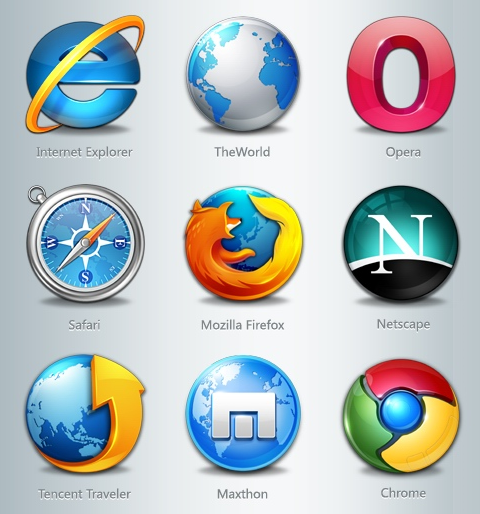
    Smartphones are taking over traditional desktop in terms of internet usage. Here i shall list the best internet browsers for android device. All the popular websites have android, ios, windows phone app version of their website in order to capitalize the huge user base. 


    The percentage of mobile Internet users have risen exponentially. Now a days almost all the website implement responsive design. The website looks differently in different devices and fits perfectly as per screen size. In order to surf internet from smartphones specific browsers are there. These browsers are lightweight but powerful. They also compress the incoming data thus reduce your data usage a lot and hence reduce your bill substantially. 

    Some also have download managers inbuilt with resume capability. Now you can download big files periodically as per your convenient time without worrying to start downloading from the beginning again.

    UC Browser : This awesome browser resides in almost all the android smartphones. From the era where mobile browsers were laggy and least useful, this browser proved its efficiency then. By providing faster browsing, download manager. These are the two aspects for which it gained popularity and respect at that time. Now it has more features and is optional (in the form of Add-ons) so that it can be customized and a user will have his preference of how his mobile browser must be like.  The important features of UC Browser are :-

    • Fast and stable navigation (flawless, hang-free mobile surfing experience)
    • Fast mode (compresses data, speeds up navigation and saves data bill)
    • ADBlock
    • Facebook mode (for realtime facebook-ing)
    • Smart downloads (efficient download manager)
    • Control Videos with Gestures
    • Incognito mode (browse without leaving a trail.)
    • Night Mode


    Opera Mobile : This, according to me, is the 2nd contender though never a competition to UC browser. It is still an efficient browser. The best feature is its turbo mode. This compresses the webpage and thus makes the inflow faster. It also saves data.  Some features worth mentioning are :-


    • Add to home screen ( Add any website directly to your home screen to access your favorite sites even faster )
    • Pull-to-refresh ( Swipe down on any webpage to reload it )
    • Stay in sync ( Sync your phone’s Speed Dial, tabs, bookmarks and now also typed history across all your devices )
    • Stay online ( Opera’s revamped Opera Turbo helps you to browse faster, even on slow or congested networks )
    • Keep it private ( Use Opera’s private tabs to go anywhere on the internet without leaving a trace on your device )


    I have not researched other browsers for smartphones as i am very satisfied using this two browsers. For browsing on a slow (2G) connection, I prefer UC over any other browsers.

    If you have any suggestions please let me know in comments.
  • Why government and technology companies can't agree on encryption of user data?

    Your phone is getting better and better at protecting your privacy. But Uncle Sam isn't totally comfortable with that, because it's also complicating the work of tracking criminals and potential national-security threats.For decades, tech companies have steadily expanded the use of encryption — a data-scrambling technology that shields information from prying eyes, whether it's sent over the Internet or stored on phones and computers.


     For almost as long, police and intelligence agencies have sought to poke holes in the security technology, which can thwart investigators even when they have a legal warrant for, say, possibly incriminating text messages stored on a phone.


    The authorities haven't fared well; strong encryption now keeps strangers out of everything from your iMessages to app data stored on the latest Android phones. But in the wake of the Paris attacks, US officials are again pushing for limits on encryption, even though there's still no evidence the extremists used it to safeguard their communications.While various experts are exploring ways of resolving the impasse, none are making much headway. For now, the status quo favors civil libertarians and the tech industry, although that could change quickly — for instance, should another attack lead to mass US casualties. Such a scenario could stampede Congress into passing hasty and potentially counterproductive restrictions on encryption."

    There are completely reasonable concerns on both sides," said Yeshiva University law professor Deborah Pearlstein. The aftermath of an attack, however, "is the least practical time to have a rational discussion about these issues."Encryption plays a little heralded, yet crucial role in the modern economy and daily life. It protects everything from corporate secrets to the credit-card numbers of online shoppers to the communications of democracy advocates fighting totalitarian regimes.At the same time, recent decisions by Apple and Google to encrypt smartphone data by default have rankled law enforcement officials, who complain of growing difficulty in getting access to the data they feel they need to build criminal cases and prevent attacks. For months, the Obama administration — which has steered away from legislative restrictions on encryption — has been in talks with technology companies to brainstorm ways of giving investigators legal access to encrypted information.But technology experts and their allies say there's no way to grant law enforcement such access without making everyone more vulnerable to cybercriminals and identity thieves. 

    "It would put American bank accounts and their health records, and their phones, at a huge risk to hackers and foreign criminals and spies, while at the same time doing little or nothing to stop terrorists," Sen. Ron Wyden, D-Ore., said in an interview Monday.Lawmakers on the US Senate Select Committee on Intelligence remain on what they call an "exploratory" search for options that might expand access for law enforcement, although they're not necessarily looking at new legislation.The FBI and police have other options even if they can't read encrypted files and messages. So-called metadata — basically, a record of everyone an individual contacts via phone, email or text message — isn't encrypted, and service providers can make it available when served with subpoenas. Data stored on remote computers in the cloud — for instance, on Apple's iCloud service or Google's Drive — is also often available to investigators with search warrants. (Apple and Google encrypt that data, but also hold the keys.)

    Some security experts suggest that should be enough. Michael Moore, chief technology officer and co-founder of the Baltimore, Maryland-based data security firm Terbium Labs, noted that police have managed to take down online criminals even without bypassing encryption. He pointed to the 2013 take down of Silk Road, a massive online drug bazaar that operated on the "dark Web," essentially the underworld of the Internet."The way they figured that out was through good old-fashioned police work, not by breaking cryptography," Moore said. "I don't think there's a shortcut to good police work in that regard."Others argue that the very notion of "compromise" makes no sense where encryption is concerned. "Encryption fundamentally is about math," said Mike McNerney, a fellow on the Truman National Security Project and a former cyber policy adviser to the Secretary of Defense.

     "How do you compromise on math?" He called the idea of backdoors "silly."Some in law enforcement have compromise ideas of their own. The Manhattan District Attorney's office, for instance, recently called for a federal law that would require smartphone companies to sell phones they could unlock for government searches — in essence, forcing them to hold the keys to user data.In a report on the subject, the office called its suggestion a "limited proposal" that would only apply to data stored on smartphones and restrict searches to devices that authorities had already seized. Privacy advocates and tech companies aren't sold, saying it would weaken security for phones that are already too vulnerable to attack

    .Marcus Thomas, the chief technology officer at Subsentio and former assistant director of the FBI's operational technology division, argued that it's too late to turn back the clock on strong encryption, putting law enforcement in a "race against time" to obtain investigatory data whenever and wherever it can. But he urged security experts to find ways to help out investigators as they design next-generation encryption systems.The idea of allowing law enforcement secure access to encrypted information doesn't faze Nate Cardozo, a staff attorney for the San Francisco-based Electronic Frontier Foundation — provided a warrant is involved. Unfortunately, he says, cryptographers agree that the prospect is a "pure fantasy."
  • Major SEO Misconception Explained

    Search engine optimization is one of the main factors of making your blog profitable. For years, millions of people tried to make their site optimized for search engines and hope for the best. But sadly, only a very few of these people really succeeded on making their site seo worth it.


    You might be wondering why and how right? Well, the main reason for a lot of people to fail in making their site productive is that they have fallen into SEO misconceptions and myths, and that's what I'll talk about in this post.

    -Being on the first page of Google means I was successful on search engine optimizing my site.

    Absolutely no! For some it could be yes, but if you hit first page on Google on a keyword that people don't even used to search your site for, then it is totally useless.

    -My site is losing traffic, Google must be penalizing it.

    Nope. Well, Google do penalize site for some heavy and valid reasons (like scam sites, pornography, etc.). But most of the time, your site is losing traffic because of your misled in constantly optimizing and updating your site's content.

    -If a lot of traffic flow into my site, It would mean that I will make huge profit.

    Well, think again! Having a lot of traffic flow on your site does not guarantee any profit especially if the traffic you get was un-targeted or you don't have a call to action on your site for the potential customer to take to. Remember, it's the amount of targeted traffic that counts!


    -Any incoming links are productive and beneficial.

    Not really! Search engine only accounts valid and not fraudulent incoming links. They only record incoming links from reputed sites (sites with pagerank) that has no record of penalty before.

    -Parked domains that have been inactive for years have greater value than new ones.

    Could be true, but it does not help you with search engines. It's a long myth that most people thought inactive domain names are profitable or easy to rank, but the fact is that search engine gives no credit at all to "inactive or parked" domain names, they only give credit to those with real contents.

    And that's it folks! some wrong ideas that was previously thought on search engine optimization. Try not to fall into one of these and make your way to the search engine's first page.
  • Alexa Rank And Why It Is Important ?

    What is Alexa Rank: 
             
    Alexa ranking simply rank websites by the highest traffic, where the top Alexa ranking site today is Google with Alexa ranking of 1.It also give you the country specific ranking from the country that give you the most traffic. It is not really accurate because it uses the browser toolbar and extensions to measure traffic so it mean traffic from only users who have this toolbar or extension installed.


     Why Alexa Rank Is important :

             Alexa rankings might improve a website’s exposure. As an example, they can inform potential advertisement partners and even other webmasters about a website’s potential value. Sites with higher Alexa ranks become more likely to attract potential advertisement partners and/or marketing offers.

    After Google Page Rank most of blogger care about Alexa Rank.I’m also working hard to improve Alexa ranking of TecPhlie, as a result Alexa rank is one among the vital factors that decides the standard growth of a blog or website.

    Alexa rank is of great importance within the world of blogging. The standard of site or a blog, domain age, Google page rank, the score, etc., and another vital issue is decided based on numerous factors, just like the one that’s the Alexa ranking. Over 75th of advertisers to confirm the standard of your website or blog to visualize the Alexa ranking. Better the Alexa rank, the more you’ll get.

    Improving a website’s Alexa ranking is a simple process, that can include:

      Downloading and installing the Alexa toolbar
                   Download the Alexa toolbar and use it each day to visit your own web site. You’ll see how your rankings are shooting up in web world. Alexa even offers you the power to co-brand the toolbar along with your own brand and give it away. Download the toolbar here and see the difference in your traffic: 

      Webmasters are advised to search and visit their own site via the tool. Placing the Alexa widget on their site helps encourage site visitors to click on the widget, potentially counting toward building said Alexa rankings.

     Create quality and relevant web content. 
             It’s important to create web content that provides valuable information to web users. High quality web content helps encourage people to visit any website, increasing their overall web authority as a result. 

       Optimize the website.  
              Webmasters can’t get accurate or dramatic results without optimizing their site’s web exposure. The simplest optimization techniques involve inserting choice Alexa-related keywords and building a healthy list of backlinks.

      Encourage readers to add your Alexa listing for your own website.
           Encourage your web site guests to feature their positive testimonials on Alexa’s elaborated listings page for your site. This could be done by inserting a link to the suitable Alexa page on your site and asking audience to “Click here to rate this website”. You’ll find in depth Alexa page here:
    http://www.alexa.com/siteinfo/tecphlie.in


    PS:
     Alexa Rank depends on the percentage of your users that have the Alexa toolbar installed. So,even you are getting 1000 visitors day,and 900 of them don't have Alexa toolbar Installed,they will not be included.You need readers who have Alexa Toolbar installed on there system.
  • Dummies Guide To Choose Blog Name

    This post is about how you can choose a better blog name,that you don't have to regret later. I have seen many bloggers, who were going through (or about to go through) re-branding of their blog.The name they pick initially was not that much appealing. 


    So whether you are existing blogger or new one,choosing name is most thoughtful task So, I can’t promise you “THREE EASY STEPS!!!!” to naming your blog. IF ONLY it were that easy. It’s a process to get to a blog name that you’ll truly love. But doesn’t a little sweat, frustration, tears, & I’ll-never-pick-a-good-one whining make that light-bulb moment all the more satisfying?


    To get a cool catchy and awesome blog name,you have to divide this naming process into two different modules ,which can be explained as:


    • Explore area and foundation of your blog
    • Vet your Blog name


    In this post, I’ll tackle the first part of the process. And tomorrow, I’ll show you how to vet your top contenders to ensure you pick a blog name you won’t regret.


    Explore area and foundation of your blog


        Identify Your Blog area :
                              
    I imagine if you’re starting a new blog, you already have an idea of what you want to write about. If you’re rebranding, this might mean you’re narrowing your focus, expanding your focus, or doing what I’m doing, which is leaving my focus the same.

    Jot down the topics you’ll be writing about and then any words associated with those topics. For example, if you had a food blog, you might write down obvious words like “cooking” or “kitchen” but go further and think: utensils, cooking methods, fave ingredients, how food/cooking makes people feel (comfort, enjoy), how people describe food (delicious, savory), etc.

    Brainstorming all these words helps spark blog name ideas, so write down a word even if you know you wouldn’t use it for your blog. You’d be surprised how just writing words down can springboard into more words (one of which just might end up being part of your blog name).

    Look at your words. Are there words you know you definitely want or don’t want in your blog name? Circle the definites and cross off the “no ways.”

    For example, I knew that I wanted the word “blog” or “blogging” in my name. However, I DIDN’T want “blogger” because I didn’t want to chance people calling me by “__blogger” rather than my name.

         Explore your Blog Tone :
                                  Next, really give some thought to your blog’s tone. A good blog name should align with how you want your blog to feel. The mood you want to exude (oooh I can rhyme). Is your writing sassy? Serious? Hilarious? Sarcastic?

    Even if you write about many topics, your tone brings it all together. Write down some words that describe your tone. What words would you want your readers to use to describe your blog? These words may or may not be a part of your blog name, but they’ll help you pinpoint the feel of your blog. And a good blog name should match that feel.

       Define your Target Audience : 
                                        Who is your audience or potential audience? Are they mostly women? Mostly men? Why do they come to your blog (or if you have no blog yet– why do you want people to come to your blog)? To be entertained? To laugh? To learn something? 

    Because they’re curious about your life? You can have more than one answer. Is there an audience you want to attract, but aren’t at the moment? List some characteristics of your ideal target audience. You want your blog name to resonate with them.

    For example, if your blog readers love that you make them laugh, then a bland name won’t be as effective as a name with a tinge of humor.

       Find Your Competitors :
                                     No you’re not trying to steal their name, or even play off of it. But looking at blogs you like can spark creativity that leads you in the right direction. Read through their taglines, sidebars, and a post or two. You don’t have to spend much time on this, but if anything, it can get you in the creative spirit by looking at other creative blogs.

    The “PHLIE” part of my blog name came from a sentence smack in the middle of someone’s blog post about productivity. It was a blog for entrepreneurs and one I’ve never visited before. I wasn’t even THINKING about my blog name at the time. I simply clicked on a link to read an article. “Phlie” was one single word in the middle of a sentence and the post had nothing to do with blogging, but as soon as I saw it, I KNEW “TecPhlie” was it.

      Write Down Name That Hit You :
                        Once you’ve done those three steps, look at the words and notes you jotted down in the previous steps and then start writing down name ideas. You might pair two words together. Or start with a word and add something to it (like -ista, or -ed).

    Even if you think your ideas suck, they might pave the way to THE ONE. Give yourself permission to explore ideas and words, rather than feeling you have to go down one path and one path only.

      Short List The Name are Best :
                               Okay good. Now we’re getting somewhere. Take a look at your names and consider your topics, tone, and audience. Circle the one (or ones) you think might work. When you have one you really, really love (or a few you’re considering), it’s time to analyze the names.

    That’s when you mosey along to STEP 2: Vetting Your Blog Name. Adjust this process as you need to in order to work best for you! Remember there’s no ONE way to come up with a blog name; this is just a way you could approach the naming the process.                                    


  • Best platforms to host your Own Blog

    Weblogs are an easy way to get content up on the web. Using templates, you can post to a blog quickly without knowing HTML, CSS, or design. They also offer tools like comments, automatic RSS feed generation, and much more. Using blog software to manage your website is a smart move for anyone who wants to handle a lot of regularly updating content. Blogs are one of the simplest examples of content management, as they take basic content and do things like add HTML tags and hyperlink URLs so you don't have to. 


    With these software programs, you'll have your blog up and running in a matter of minutes. And with the better blog software, you can create static pages and manage things like forms and other data just like a full-featured CMS.

    1. WordPress

    WordPress is a publishing platform that relies on PHP and a database to make your blog entries load quickly and update immediately. I love the password protected posts feature, and it is really easy to install and use.WordPress can be used  for most of the blogs, and several of the non-blog websites as well. WordPress includes features like: 
    • Hundreds of free and paid themes to style your site 
    • Thousands of plugins to extend your site and make it do even more 
    • Static pages that are outside the blog structure, but are maintained in WordPress just like a post 
    • Comments, RSS and Atom feeds, and password protection on pages and posts 
    • Categories and tags to organize your site 
    • Built-in navigation and links 

    WordPress is one of the most popular blogging tools around, and because of this there are even more templates, themes, and plugins to extend your site. If you don't want to maintain your blog yourself you can use the hosted service at WordPress.com instead.

    2. Movable Type 

    I used Movable Type for years. It is a lot more than just a blog. Instead it is a full publishing system that you can use to maintain your entire website. There are several versions of the MT software depending upon what type of license you need. Movable Type (Pro) includes features like:
    • Multiple websites supported with just one installation of the MT software
    •  Revision history for tracking changes to pages, entries, and templates 
    • Custom fields let you organize and manage data on your site Build forums and other community including social media interaction 
    • Scalable features like Oracle Database support (MT Advanced) Open source version for developers to add even more features


    3. Blogger 

    Blogger is an online blogging platform owned by Google. It is very easy to sign up for an account on blogger and be writing your blog in just a few minutes. Blogger is different from WordPress because it is only a blogging platform. If you want blog software to run your entire site you will need to choose something else. But Blogger, because it is owned by Google, has great integration with Google AdWords so you can easily sell advertising on your site and make a little money. Most other blog software requires that you install a plugin to use AdWords. Blogger.com is sometimes known by another name—Blogspot.com. But these both are owned by Google and point to the same blogging software.


  • How to Automatically share your blog post on Social Media

    When I started TecPhlie, One of the problem that I faced initially was how can we automate the process of sharing post on social media platform like Twitter,Facebook and LinkedIn so that our reach can expand. After digging internet a bit, I found a website twitterfeed.com, this  website can help you to increase your social presence and save lots of time .All you need to worry about is creating a good content and this tool will take care of rest. Here is step by step to use it:-

    STEP 1:
               First thing is you need is to create accounts on Facebook,Twitter and LinkedIn so your post can be shared on that account.


    STEP 2:
                 Visit twitterfeed.com and sign up.


    STEP 3:
                After completing signup process,you will receive a verification mail on your registered email address,flow link present in it.That link will lead you to your account on twitterfeed.


    STEP 4:
                 Create a New feed there,Give your feed a name and enter the Blog feed URL,
    Your Blog feed URL looks like : http;//yourblog.blogspot.com/feeds/posts/default .You can configure the rate at which this feed will check your blog for update and posts,also you can put prefix and post fix after twitter posts,you can use this to put your twitter handle,as #FashionBlog or so, under Advance Option.


    STEP 5: 
                  Then click on continue to step 2,here you can configure your publication services including Twitter and Facebook.Authenticate your Facebook and twitter Accounts and click on create service.


    Once these services are created,click on All Done button. That's it ,now your articles will shared automatically on twitter and Facebook as you publish them on your blog.Happy Blogging !!!

    If you still face some issue,then comment it below.We will help you as soon as possible.Meanwhile you can share this post.
  • WHAT WE DO

    We've been developing corporate tailored services for clients for 30 years.

    CONTACT US

    For enquiries you can contact us in several different ways. Contact details are below.

    RUDER FINN INDIA

    • Street :Unit 001A, Tower B, Ground Floor, Global Business Park, MG Road, Gurgaon – 122002, INDIA
    • Person :Radha Roy
    • Phone :91 124 388 2870
    • Country :India
    • Email :royr@ruderfinnasia.com

    Radha Roy.

    Radha Roy Country Head 91 124 388 2870 royr@ruderfinnasia.com Unit 001A, Tower B, Ground Floor, Global Business Park, MG Road, Gurgaon – 122002, INDIA