


Smartphones are taking over traditional desktop in terms of internet usage. Here i shall list the best internet browsers for android device. All the popular websites have android, ios, windows phone app version of their website in order to capitalize the huge user base.
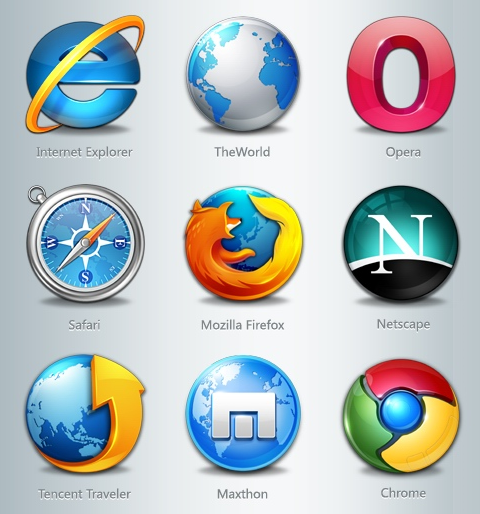
The percentage of mobile Internet users have risen exponentially. Now a days almost all the website implement responsive design. The website looks differently in different devices and fits perfectly as per screen size. In order to surf internet from smartphones specific browsers are there. These browsers are lightweight but powerful. They also compress the incoming data thus reduce your data usage a lot and hence reduce your bill substantially.
Some also have download managers inbuilt with resume capability. Now you can download big files periodically as per your convenient time without worrying to start downloading from the beginning again.
UC Browser : This awesome browser resides in almost all the android smartphones. From the era where mobile browsers were laggy and least useful, this browser proved its efficiency then. By providing faster browsing, download manager. These are the two aspects for which it gained popularity and respect at that time. Now it has more features and is optional (in the form of Add-ons) so that it can be customized and a user will have his preference of how his mobile browser must be like. The important features of UC Browser are :-
- Fast and stable navigation (flawless, hang-free mobile surfing experience)
- Fast mode (compresses data, speeds up navigation and saves data bill)
- ADBlock
- Facebook mode (for realtime facebook-ing)
- Smart downloads (efficient download manager)
- Control Videos with Gestures
- Incognito mode (browse without leaving a trail.)
- Night Mode
Opera Mobile : This, according to me, is the 2nd contender though never a competition to UC browser. It is still an efficient browser. The best feature is its turbo mode. This compresses the webpage and thus makes the inflow faster. It also saves data. Some features worth mentioning are :-
- Add to home screen ( Add any website directly to your home screen to access your favorite sites even faster )
- Pull-to-refresh ( Swipe down on any webpage to reload it )
- Stay in sync ( Sync your phone’s Speed Dial, tabs, bookmarks and now also typed history across all your devices )
- Stay online ( Opera’s revamped Opera Turbo helps you to browse faster, even on slow or congested networks )
- Keep it private ( Use Opera’s private tabs to go anywhere on the internet without leaving a trace on your device )
I have not researched other browsers for smartphones as i am very satisfied using this two browsers. For browsing on a slow (2G) connection, I prefer UC over any other browsers.
If you have any suggestions please let me know in comments.


