ABOUT US

Our development agency is committed to providing you the best service.

OUR TEAM

The awesome people behind our brand ... and their life motto.

  • Radha Roy

    Country Head

    I long for the raised voice, the howl of rage or love.

  • Shruti Das

    GM,India

    Contented with little, yet wishing for much more.

  • Divya Narayan

    Branch Head, Banglore

    If anything is worth doing, it's worth overdoing.

OUR SKILLS

We pride ourselves with strong, flexible and top notch skills.

Marketing

Development 90%
Design 80%
Marketing 70%

Websites

Development 90%
Design 80%
Marketing 70%

PR

Development 90%
Design 80%
Marketing 70%

ACHIEVEMENTS

We help our clients integrate, analyze, and use their data to improve their business.

150

GREAT PROJECTS

300

HAPPY CLIENTS

650

COFFEES DRUNK

1568

FACEBOOK LIKES

STRATEGY & CREATIVITY

Phasellus iaculis dolor nec urna nullam. Vivamus mattis blandit porttitor nullam.

PORTFOLIO

We pride ourselves on bringing a fresh perspective and effective marketing to each project.

Showing posts with label Tips. Show all posts
  • Galaxy S7 Edge Batman Special Edition !!

    What better way to celebrate the third anniversary of the popular mobile game Injustice: Gods Among Us than with a Batman-themed phone. Samsung created the Galaxy S7 Edge Justice Edition for the occasion (rather than the release of a certain movie), mixing black and gold accents for the new version. This special model "enhanced hardware and software capability" alongside larger battery capacity which should make the mobile gaming experience a bit better.

    Injustice : God Among us


    In true ludicrous Samsung fashion, it's called the Galaxy S7 Edge Injustice Edition, and it features the superhero's logo in gold on the back. The device is commemorating the third anniversary of Injustice: Gods Among Us, and it's being produced in partnership with Warner Bros. The package appears to include a Samsung Gear VR headset, as well as a real gold-plated Batarang and a rubber phone case modeled after Batman's armor.

    Unfortunately, availability seems quite limited. Samsung says the device will be available in early June in select territories, including China, Singapore, Korea, Latin America, and Russia. The company will be announcing more available markets soon, it says.

    This device will  support  VR and comes with  a  Gold-plated Batarang.
    "We are excited to partner with Warner Bros. Interactive Entertainment and offer a special edition of Galaxy S7 Edge for fans of Injustice: Gods Among Us," Younghee Lee, Samsung Electronics' executive VP of global marketing, said in a statement. "Samsung always seeks to provide the best mobile gaming experience for its users, and this partnership reinforces our commitment to the game’s fans."

    This isn't the first time Samsung has gone full superhero. When The Avengers: Age of Ultron debuted a year ago, the company crafted an Iron Man Galaxy S6 Edge. In certain locales, the Batman handset will come bundled with a Gear VR headset for more immersive views. The phone will be available next month in China, Singapore, Korea, Latin America and Russia, but Samsung says more locations will be announced in the future.
  • Rooting – A way to unlock the full potential of your Android device

    Do you want to be a super user of Android? If you are an Android user, then you might have heard about Rooting. It is just a technical term that sounds tough, but even a casual smartphone user can get into and find something beneficial for their device.


    But maybe while unlocking the full potential you might also void your warranty or even leave you with a bricked device. So let us look at the benefits as well as the risks in short.


    What is Rooting?
    Rooting is jailbreaking for Android and allows users to dive deeper into a phone’s sub-system. It’ll allow you to access the entire OS and customise just about anything on your android. It can also get around any restrictions that the manufacturer had implied like you can run more apps, overclock or underclock the processor, replace the firmware etc anything. All you need to do is just back up the current software and install a new custom ROM (modified android version)


    Benefits of Rooting

    • First thing is you can get rid of bloatware (unwanted software included by manufacturer) which is impossible to uninstall
    • You can install special apps and install custom ROMs which can boost your devices’ performance, for example if your phone is struck with an older Android version and it is not getting any update, then with custom ROM you could load up the latest Android version
    • You can manually accept or deny app permissions
    • You can set up wireless tethering even if it has been disabled by default in the device

    Risks of Rooting

    • You might end up voiding your warranty, some manufacturers or carriers will use rooting as an excuse to void your warranty. But keep in mind you can unroot anytime just by simply flash(install) the backup ROM you already made.
    • Rooting might introduce some security risks depending on what services or app you use on your device.
    • You run at a least risk when you tamper too much, that might lead to bricking your device (screwing up your device software that it would never run properly). To avoid bricking just follow the instructions and ensure that the instructions you are following works well with your device. So do some research to avoid bricking completely.
    • Every device has its own unique method to rooting. So just Google your Device model and search the term root (ex: MOTO G3 Root). You’ll get the steps. Have fun and enjoy rooting and unleash the full potential of your device. 
  • GOOD NEWS FOR THE PEOPLE WHO STRUGGLE AT MATHEMATICS

    Maths is not strong suit for everyone. It is said that maths is tough for those who do not apply their whole brain or lack practice. I am not criticizing maths strugglers as people living in glass houses shouldn't throw stones on others. 

    Literally my way of doing maths:
    • Write down the problem.
    • Cry

    But god has shown mercy. Thanks to the wonders of IRT (Image Recognition Technology). Now we have MATHPIX, an iOS app that lets you point your phone camera at a problem and calculates solutions in seconds which is first technology that can solve handwritten maths problems. Mathpix was envisioned by Stanford PhD student Nico Jimenez. This app provides a step-by-step guide to reach the correct solution.


    The interfere looks like any standard camera app. Simply drag on-screen reticle over the equation and the app solves it. It also provides you with multiple methods to reach a solution, making it a divine educational tool. It uses image recognition to process problems and pings its servers to do the mathematical heavy lifting, so it requires internet connection to work.

  • Tip : How to Type Fast on your Android/iOS smartphone

    We all have been there, trying to type a text and getting frustrated how slow this crazy app works, after a while we eventually get used to it, and think that typing on smartphone keyboards is one of impossible task (apart from waking up at 5:30 in morning), Smartphone keyboards are never fast enough, never autocorrect properly and often lead to frustration. Can you relate to these problems? Then check out our tips to increase your typing speed on keyboard apps for Android.
      
    Using One Hand Mode

    Trust me with one, you can type faster with one hand compare with two on your smartphone, just for that reason Google have released one hand mode for its app. Its simple to you and keeps your other hand free for other tasks.You also have the choice of sharing "small snippets" of input with Google to "improve Google Keyboard for everyone." Presumably that ties into the keyboard's suggestions and making word prediction smarter. The keyboard's height can be adjusted between five different choices ranging from short to tall, with "normal" as the middle point between them. 

    What do you need to do ? 
    • Update your Google keyboard to latest version from here .
    • Open any app, say WhatsApp and open your Google keyboard, Once it start press and hold Enter for a while.
    • Tap on third icon that float out.
    • Boom you are ready to use your keyboard with one hand.

    Let your word do typing for You

    If your hands aren’t free — or you just feel like dictating — you can tap the microphone button on the keyboard and enter words just by speaking them.


    This feature sends your voice input to Google’s speech recognition service, where it’s examined, converted to text, and sent back to your phone. This means that it requires an Internet connection, but the approach of using Google’s massive computing power makes it surprisingly accurate.

    What do you need to do ? 

    To enter punctuation marks while using voice recognition, just say “period,” “comma,” “question mark,” “exclamation mark,” or “exclamation point.” Android will enter the appropriate punctuation mark instead of the words.

    Swipe to Type

    The default keyboard in Android 4.2 gained the ability to type words simply by swiping your finger over them.


    What do you need to do ? 

    To type a word by swiping, simply touch the first letter and glide your finger over the letters — for example, to type Geek, touch the G, move your finger to the E, and then move your finger to the K. Android will try to guess what you’re typing, displaying it above the keyboard. Lift your finger and the word will be typed. You can do this to type many words in sequence quickly, lifting your finger from the screen in between each one.
  • 9 Unknown Google Features


    1.  Quick Calculation from Address Bar
    This is something unique you must not be knowing. Yes, you can use google search bar for fast calculation. Just type in search bar 12*50 and wait a sec. The result will come up automatically.

    2.   Google Chrome Task Manager
    We all know that Ctrl+Alt+Delete brings up Windows task manager. But only some of us know that Google Chrome has its own task manager.

    Chrome treats each tab as a separate process so if just one of them starts causing a problem, instead of closing the entire browser, you can just kill the offending tab.
    You can access it through Tools > Task Manager or by pressing Shift+Esc.


    3. Convert Web Page To PDF Document 
    STEP 1:Open Google Chrome browser.
    STEP 2:Press ctrl+p on your key board(command+p).

    STEP 3:Click on change.
    STEP 4:And then click on "Save as pdf"
    STEP 5:Click on save.

    4. Use Google As Proxy
    If your school or office stops you from visiting certain sites, just use type "cache:WEBSITENAME.com" into the search box and avoid the block. It's that easy.
    5. Find The Best And Cheapest Flight
    Google Flight Search allows us to quickly access to information from various airline and travel sites in one place. It shares many of the same features as the other sites such as airline comparisons, rate monitoring, and price trends. Its lacks ads and straightforward approach. For example, if you're flexible with your travel dates, the ticket prices are listed day-by-day on the calendar. Go to Google Flight Search.

    6. Build Stuff With Legos
    When you become bore of your work, Google has something interesting for you. Legos is puzzles and building blocks game. And if you have small kids in the house, show them this. They’ll love it.
    The free online Lego builder browser extension works with Chrome and Firefox, and allows you to build models out of Legos. The models are saved to the cloud, where you can share them and see models that others have created. 

    7. Keep Track Of Time
    Google helps us to stay on schedule by easily allowing us to set timer just by typing "Set a timer for [x] minutes," and Google will pop up a timer. There’s a handy stopwatch to the right of the timer window.
    If you to know in advance how much time it take to reach to particular destination just type "How long does it take to get to [destination]?" Google provides the approximate drive time including any road construction or delays. It also shows time to reach to other planets.

    8. Count Calories
    When you're wondering how many calories are in a particular meal, type, "How many calories does [food item] have?" and Google will tell you the answer. It also includes details such as portion sizes, and additional ingredients that are factored in to the overall calorie count. It can also be used to compare the calorie count of different foods.

    9. Explore The Sky
    With Google now you can step off of our planet and into the universe with Google Sky.
    Instead of searching locations on this planet, you look at outer space using images from different telescopes, probes and satellites. It works similarly to Google Earth. You can search for items in the search bar at the top and Google Sky will show you the most recent images of the stars, planets and galaxies you are looking for.
    The tool also includes showcases at the bottom of the page to direct you to popular and interesting parts of the map, like images from the Hubble Telescope and shots of our own Solar System.
    In addition to the basic map, you can look at infrared and microwave images of space. You can also look at a historic map of the stars made by Giovanni Maria Cassini in 1792! For fun, overlay these different images on top of one another to see how they compare.
  • Perfect Mother's day Gift that She Deserves

    How can you thank someone who has had made biggest impact on your life? Mothers deserve the utmost appreciation. At the least, for the 9 months they allowed their bodies to be subjected to such drastic change, because a child had to be born. They’re so strong! And knowledgeable! Can we talk about how they’re right about almost everything? 


    It seems when they conceive, they immediately start releasing extra-smart hormones. How else can you explain how they give the best advice, almost every time? Wooha!! its mother's day, and we are here to help you choosing perfect gift for perfect mom in world. 

    Mom coffee mug:
    These are really beautiful and warm on the eyes. Get one with inspiring, appreciative or funny quotes inscribed on it and watch her smile water her eyes joyfully.

    Flowers:
    Surprise your mom with a bouquet of flowers served at her office or work station, and make her realize just how special she makes you feel.

    Bake/Cook Something For Her :
    For moms ,a day date in the kitchen (with help from her ) will be an experience to treasure. Pick up all the ingredients in advance, and don’t forget to take notes on her techniques for making the greatest dish of all time.

    Apothecary jars: 
    They are striking, traditional and perfect for organizing beauty samples or anything of her choice and saving space.

    Porcelain Vase:
    Gift your mom with this eye watering vase with her favorite blooms. When the flowers are past their prime, this pretty vase will remain and can double as a desk or bookshelf decor

    Whatever you choose to gift your mom this Mother’s Day, don’t forget to tell her with kind words, just how special she is to you.
  • Top tips and trick to improve your iOS 9 experience

    iOS has been one of the best user experience that smartphone industry has provided to users. Apple is very particular about its updates. As soon as the jailbreak industry starts focusing to jailbreak the new iOS version Apple is out with another IOS version with more features and bug fixes. But people jailbreak is not necessary to improve your IOS experience here are some tips and tricks.


    Low power mode

    One of the best feature that I love of IOS 9 is LOW POWER MODE if you aren’t satisfied with the battery backup of your iphone LOW POWER MODE will work as a life savior for you. Basically what it does is allow you to temporarily reduce power consumption by closing things like background app refreshment back ground app activities some visual effects are turned off. This feature saves lot of battery and that is what people want lots of battery you may have seen people carrying power banks with there iphone trust me people if you are at IOS9 you don’t need it any more.

    Reduce motion

    Lot of people feel the animation speed is slow and apple needs to speed it up. so here is what apple did now you have a feature that you can access in accessibility menu in general settings by turning this feature on it reduces the amount of animation on your iphone and looks like the phone is acting more faster than earlier . It may also save some battery for you.

    Search bar in setting

    The new update has brought you search bar in the setting so that you can quickly access the settings  that you need to change all you have to do is go to settings and swipe down your finger and you will find a search bar.

    Back to app

    Back to app feature so basically what it does is suppose you are in WHATSAPP and having a pretty good time chatting with your friends suddenly you get a FACEBOOK  notification and you directly click on the notification and switch to FACEBOOK now when you are done with FACEBOOK you will get a option to directly switch back to WHATSAPP where you have left on the top left corner of your screen this save a lot of time and you don’t have to go to your spring board again to switch back.

    Swipe to dismiss and thumbnails in photos app

    So you are in the photos app you just accidently clicked on the photo you dint wanna open so rather than clicking on the back button what you can do is swipe down your finger from up to down this will close the photo. The thumb nail view is also one of the great update in photos app you  have a thumbnail view of other photos to which you can switch directly without closing the present photo.

    Ambient light

    Basically if you put your phone facing down the phone will not light up when you get a notification because the phone knows no body is looking at the screen. This feature also helps in saving battery life.

    Quick reply

    Whenever you get a notification you can swipe down with your finger on the notification and quickly reply without opening the app. This may save a lot of time.

    6 digit passcode

    Must needed and important feature that I almost forgot to tell you guys. Now you can have 6 digit passcode rather than 4 digit all you have to do is go to settings then go to passcode click on the passcode option and then select 6 digit.

    Hope these details may help to improve your IOS experience.Do you know any trick that you want to share with us, comment that in section dwn below..


  • Everything You Need To Know About The New iOS 9.3

    On March 21, 2016, Apple finally released the new iOS 9.3 update for everyone to download and install. Beta versions of this update first rolled out in January but it was only in March when Apple officially released it to the general public. This update does not really come with any significant interface updates but it has new functionalities such as the Night Shift which enables users to shift to warm colored tones so that viewing the iPhone would be easier on the eyes at night. Is this feature enough for you to update to the latest iOS?


    Compatibility

    Unlike the past iOS updates, the 9.3 can be downloaded by a vast number of Apple platforms. This includes the iPhone 4s and late, the iPod touch 5th generation and onwards, the iPad 2 onwards and the iPad mini 1st generation and onwards. To begin the update, simply go to Settings > General > Software Update.

    Even though this update can be downloaded by more Apple users, not all features can be utilized by all especially the new Night Shift functionality. This feature can only be enjoyed by the following: iPhone 5s or later, iPad Pro, iPad Air or later, iPad mini 2 or later, and the iPod touch (6th generation).

    Common Problems

    Like all of the previous iOS releases, the 9.3 comes with a few kinks. Usually, Apple’s answer to these bugs is another system update but that could take weeks. Here are a few common reported problems with the new iOS 9.3 and how to fix it.
    No iOS 9.3 Update Available

    If your Apple gadget is compatible with the new iOS 9.3 update and you still do not see an option to update your iOS, the next best thing is to try to update via iTunes on your Mac or PC. Ensure that your computer has the latest iTunes installed. Connect your Apple device to the computer. Once connected, select Summary then Check for Update. The iOS 9.3 update should appear, prompting you to update.

    Reduced Battery Life

    If you are an Apple device user especially the iPhone, you’d know that the battery is not its strongest suit. Apple devices are known to have a short battery life and this iOS 9.3 update does not address that problem. Infact, it makes things worse. Users have complained that since updating their phone to the 9.3, their battery life has significantly reduced.
    According to experts from forums that discuss this problem, a quick fix would be to do a reset once a week until Apple releases a new software update that will address this problem.

    Touchscreen Issues  

    Many users are experiencing touchscreen issues since updating to iOS 9.3. Some have reported that their touchscreen would not respond or apps would freeze without you being able to prompt swipes or touches to exit the app. To fix this, hold down the home button and the power button until you see the apple logo. Users suggest to do this three times in a row to avoid the issue from coming back.

    Why You Should or Shouldn’t Install

    So after everything we’ve discussed regarding the new iOS 9.3 update, the question remains, should you update or not?
    • Install if you frequently use your phone at night and if you think you’ll benefit from the new Night Shift function
    • Install if you've already downloaded the 9.3 beta from a few months ago since the official 9.3 download fixes all the bugs from the beta testing release last January
    • Don’t install if your device is jailbroken because if you do so, this will restore your phone to its factory settings since there is no available jailbreak release for iOS 9.3


    Author’s Bio: Joel Ekstein is an eCommerce retail expert with over 12 years experience in the industry. He has had experience in buyer and inventory forecasting, marketing, and expanding customer base in new markets. Instead of the notion that offering 100% customer satisfaction hurts 20% of profit, Joel has proved that 100% customer satisfaction increases customer engagement and customer base which leads to 25% profit increase. http://www.protect-o.com/  ||  twitter.com/Protect_O


  • Power Bank : Everything You Need to Know Before You Buy


    Important Facts Regarding Power Banks are Revealed

    A Smart phone user cannot assume a single day without his phone. Smart phones are electronic devices that operate on battery power. You have a facility that you can charge your phone’s battery easily when it is discharged, but what would you do if there is no electric port around you? Well, you might get frustrated because it is the only way of communication in your pocket. You may search for charging port, but using a Power Bank is much better idea. It is a smart charging option for smart phones and tabs that you can carry with you in your bag or pocket.


    What is inside the Power Bank?

    We often purchase electronic devices, use them and throw them when they don’t work. People don’t take interest in knowing how things work, but a Power Bank is something that you must know clearly. It is prepared by using a battery, power circuit and a special case in which all the components of this device are packed. You need to charge the battery of Power Bank in the same way as you charge your Smart phone. It comes with a rechargeable battery that is available for purchase in different power capacity.

    How does Power Bank charge smart phones and tabs?

    The Power Bank charges smart phones and tabs by using a USB cable. Nowadays, all the smart phones are coming with chargers that comprise a USB cable and an adapter. You can use your Smart phone’s USB cable to charge your phone through a Power Bank. This device charges smart phones and tabs in the same way as you charge them through electric circuit. Well, Power Banks transmit current is the same flow and there is no voltage fluctuation occurs when you are charging your phone via Power Bank. It is a benefit of this device that encourages every user for buying it.

    When you need it?

    Usually, you don’t need a Power Bank, if you spend your whole day in the office and at home. You can use electricity boards to charge your Smart phone. Power Banks are must needed devices, when you are traveling to another city or outside the state. Not all the transportation services provide electric circuit in their vehicles. The tourists often face problems because their phone’s battery get dead soon. Obviously, you cannot stop yourself from using social apps and listening songs, while traveling. It is why you should carry a Power Bank with you as a portable charging option.

    What types of Power Banks are available in the market?

    According to size and shape, there are many types’ Power Banks are available in the market. People mainly differentiate Power Banks according to their power capacity. Some power banks can charge your Smart phone twice in a day and some can only once. You can buy 10400mAh battery power’s Power Bank that can easily charge same capacity’s battery. Some Power Banks doesn’t require electric power to charge their batteries. They are solar powered Power Banks, which are quite convenient for users. You can find all variants of the Power Bank online and buy the best for your requirements.

    Note From Author: Varun Kumar  .. http://Latestone.com/ is the reputed e-tailer known for bringing the latest Mobile Accessories models from all major manufacturers at best discounts. Company has fully operational office and warehouse maintained to make timely deliveries across nation.
  • Computer is Slow? Here are ways to speed up...

    1. SPEED YOUR START UP
    If an entire pot of coffee can brew in the time it takes for your computer to boot, it’s time to make some changes. Most likely your computer is not slow – it’s the dozens of programs turning on during startup that are slowing it down. Download a comprehensive tool easily disable certain programs during your startup.


    2. CLEAR IT UP
    If painfully slow surfing is your main problem, there are a couple quick changes you can make. Google Chrome is the best browser on the market now, known for speedy surfing. Under Chrome, go to Clear Browsing Data and check the boxes of temporary Internet files like cookies, cache, download history and browsing history.

    3. SLIM DOWN
    This involves more than just uninstalling programs you don’t use anymore. If you’re not totally committed to the usual suspects, like Windows Media Player and Microsoft Office, switch to something that requires less computing power. Free applications can easily replace go-to programs, while speeding up your PC and giving you additional features at the same time.

    4. AUTOMATE YOUR UPDATES
    Updates are annoying. It’s easy to click “remind me later” and avoid the notifications, until you’re so frustrated with your computer that you finally set aside an entire afternoon to update everything. Let’s solve this. Go to My Computer > Properties > Automatic Updates. Make sure this is set to Download and Install Automatically.

    5. MAKE YOUR UPGRADES
    If you’re into gaming, a graphics card might be worth your while. Forewarning: You’ll have to toy with your motherboard to make this upgrade happen, but there are a lot of online tutorials you can follow. Finally, the most effective way to speed up your PC – which also requires tinkering – is to add more RAM (random access memory).
  • 7 Tips to Make Your Phone Secure

    Today’s internet-connected world brings with it several security and privacy issues. Smartphones have become our primary medium of accessing the internet. Whether at home or at work, our smartphones are especially vulnerable to these issues.


    We have listed 7 ways which can help you protect your smartphone from a potential hack or virus.
    Get an Antivirus App
    Downloading an antivirus application can secure your device, but it’s not the only safeguard you need. Usually, any files transferred from other devices, like PCs can also contain malware and viruses. While mobile antivirus can protect against such viruses, the best course of action would be to avoid moving files directly between devices or scan each file using a high-rated antivirus before sending it to your smartphone.
    Avoid Public Wi-Fi
    Connecting to public Wi-Fi networks is just like inviting intruders into your private life. It is one of the most unsecure things in the world. A huge majority of people still use it because it’s free. But the fact is that with public hotspots, even a novice hacker can eavesdrop on your private emails, passwords and account details with a little bit of tinkering.

    If you do need to use the internet outside your home and have to do anything remotely sensitive, you’re better off using your mobile internet. If you don’t have access to that, then you will be better off using a VPN app in conjunction with public wifi. These VPN apps come with built-in data encryption to keep your activities secure.
    Turn Off Bluetooth Unless Required
    Bluetooth is often used for short-range device communication. Whether you are transferring data or connecting to a multimedia device over Bluetooth, you are exposing your device to hackers. While using this technology at home may not pose much of a threat, but when Bluetooth is activated away from home, your device can be bluejacked (remote hijacking).

    In short, your device can be accessed by hackers even if you are using the latest iterations of Bluetooth i.e. BT versions 4.1 or even 4.2. To prevent hijacking and snooping risks, Bluetooth should always be off when not in use.
    Keep IP and MAC addresses hiddenPeople are often unaware that IP address is a gateway to their device. These are like digital addresses, since IPs can be used to locate any device. There are many softwares or apps which can be used to keep your IP address hidden over the world wide web. However, devices are exposed when connected to the same local area network.

    Each connected device is recognized by its MAC Address (name). When in a public place or when using an internet connection that is being shared by others, you are potentially open to remote attacks. Anyone with your MAC address can specifically target your device if they desire.

    The only way around this is to keep your digital identity hidden by using VPNs and a reliable Firewall app which can protect against any hacking attempts.

    Never Trust Apps From Unknown Sources

    All smart devices come with their own respective app stores. Android devices usually come with Google Play Store, iOS devices come with Apple App Store, and Windows devices have their own store. Despite that, users often choose to install apps from different websites and other unknown sources.

    The first thing to do is to avoid unknown sources for apps. There’s no guarantee that the app you have downloaded hasn’t been tempered with already or if it’s actually a malware app. It’s better to avoid apps from outside the official app stores. However, if it is really necessary, then download the app from its official website. Even then you should read app reviews to know what you are getting into.

    Use a Numeric Password rather than a Pattern Lock

    Pattern locks are very easy to bypass. If you consider privacy to be important, use pins or passwords. While patterns may be easy to unlock repeatedly, pins and passwords offer far greater security. You can double your security by using third party security apps which offer changing pins. They protect you even when you unlock your phone in front of somebody.
    Another alternative would be to get your hands on a phone with a fingerprint scanner. Smartphones with such security features are difficult to fool and ordinary people will stand little chance if they attempt to pry into your personal files.

    Jailbreaking or Rooting

    Some of you might not understand terms such as jailbreaking or rooting. To describe these terms simply, Jailbreaking or Rooting is the process of gaining advanced access to your device’s software and hardware via an OS vulnerability. This allows you to increase your phones functionality, customizability and gives you access to a realm of developer mods.

    However, it’s not all that great. With such advanced access, you risk your device’s security. Hackers can make use of any flaws in your device security and take control of your device in a manner which is not possible otherwise. Other than that, you void your warranty and risk bricking your device.

    In short, it’s not something you should meddle with unless you are comfortable with the risks. Even then, you should read about your device on public forums, if you don’t understand anything better leave it or try it out on a spare device to get some hands-on practice.

    Hopefully, these 7 fundamental tips will help you keep your smartphone better protected against hackers and attackers. They may sound like common-sense tips, but they can ensure that your data remains safe and secure at all times.
  • How to use adoptable storage on Android 6.0 Marshmallow

    One of the features in Android 6.0 Marshmallow that hasn't gained many headlines is called flex storage or adoptable storage (Google uses both terms).

    The new feature will allow you to use external storage on your device as internal storage. It's likely to be popular, as you'll be able to buy a more affordable device with low internal storage and boost it cheaply by adding a microSD card.


    Although it's added to the list of Marshmallow features (and included on the list on android.com), Google hasn't said much about it, perhaps because Nexus devices don't have a microSD card slot.

    We've been using the HTC One A9, the first device to launch with Android 6.0 that has a microSD card slot, so have been able to test out adoptable storage. We've also found it supported on the updated HTC One M8, a great boost for our device that only had 16GB of internal storage originally.


    How to use adoptable storage

    Using adoptable storage is simple, but there are some things you need to know: firstly, your storage card will have to be formatted so all the content will be wiped; secondly, you'll not be able to hot swap it, as it will only work in thephone you set it up on.

    To enable adoptable storage on your Android 6.0 Marshmallow device, all you have to do is head into the Storage & USB area in settings, tap on the microSDcard and you'll see the option to "format as internal". Select this option and the process starts, warning that you'll lose all the data on the card.

    Once formatted, you're given the option to migrate data to the new storage, freeing up space on the original internal storage. That's all there it to it - then when you look at your storage details, it lists both as internal storage.


    If you want to know what is stored in each section, you can tap through and explore the contents, seeing what apps are living in which area.


    We found that some big apps (games) found their way onto the newly appointed storage and for those games that run to several gigabytes, adoptable storage will mean you don't have to worry about running out of space. But you will have to remember that once you've committed a card to it, it's then loaded with data, so use the biggest card you can for maximum benefit.

    That's all there is to it. We used a UHS-I card and we haven't noticed any performance difference, although there's the chance that reading and writing to the microSD card could be slower than the original internal storage.

    For now you'll be waiting for the Android 6.0 Marshmallow update for yourphone before you'll get to use this more flexible storage solution.
    What phones support adoptable storage?

    With a new range of Android 6.0 Marshmallow devices hitting the market in 2016, it would be natural to assume that you'll have plenty of options. Well that assumption would be wrong. Although we've seen updates to HTC's legacy devices that support this feature, there's bad news coming from the LG and Samsung camps.

    Both LG and Samsung have confirmed that the Galaxy S7 models and the LG G5 won't support the feature. Samsung went as far to say that this was because it thinks people will want to use microSD to move files back and forth between devices, which adoptable storage doesn't allow. The cynic in us suggests that it's actually because companies won't be able to sell you higher capacity devices at higher prices if they do support the feature.

    Certainly, if you're in the market for a new handset running on Marshmallow, it's worth checking what the position is with regards to adoptable storage.
  • How to Choose Better Password

    There's always debate online about which kinds of passwords are really the most secure, but one universal truth always seems to be that you should change your passwords often. The reasoning behind that is presumably if someone gains access to your account they won't be able to get into it for long. So you're effectively constantly changing it to keep those pesky wannabe hackers guessing.

    But apparently the IT department's obsession with changing up our passwords could be all wrong. According to FTC Chief Technologist and Carnegie Mellon computer science professor Lorrie Cranor, research suggests that if you have to change your password all the time you'll put much less effort into picking a secure one.


    She explains her findings from one particular study:
        “[People] tended to create passwords that followed predictable patterns, called ‘transformations,’ such as incrementing a number, changing a letter to similar-looking symbol (for example changing an S to a $), adding or deleting a special character (for example, going from three exclamation points at the end of a password to two), or switching the order of digits or special characters (for example moving the numbers to the beginning instead of the end).”

    Sound familiar? Exactly. That's why changing your password a lot just isn't smart when it comes to security. In fact, Cranor suggests that those who really want to hack into accounts can do so quite easily via offline attacks that guess a large number of passwords. So your constant changing isn't really going to slow them down that much anyway.

    A strong password is your first line of defense against intruders and imposters.

    Never give out your password to anyone.*
    Never give it to friends, even if they’re really good friends. A friend can – maybe even accidentally – pass your password along to others or even become an ex-friend and abuse it.

    Don’t just use one password. It’s possible that someone working at a site where you use that password could pass it on or use it to break into your accounts at other sites.

    Create passwords that are easy to remember but hard for others to guess.
    When possible, use a phrase such as “I started 7th grade at Lincoln Middle School in 2004” and use the initial of each word like this: “Is7gaLMSi#2004.” And make them at least a little different (by adding a couple of unique letters) for each site. On some sites you might even be able to type in the entire phrase.

    Make the password at least 8 characters long. The longer the better. Longer passwords are harder for thieves to crack.

    Include numbers, capital letters and symbols. Consider using a $ instead of an S or a 1 instead of an L, or including an & or % – but note that $1ngle is NOT a good password. Password thieves are onto this. But Mf$J1ravng (short for “My friend Sam Jones is really a very nice guy) is an excellent password.

    Don’t use dictionary words:  If it’s in the dictionary, there is a chance someone will guess it. There’s even software that criminals use that can guess words used in dictionaries.

    Don’t post it in plain sight: This might seem obvious but studies have found that a lot of people post their password on their monitor with a sticky note. Bad idea.  If you must write it down, hide the note somewhere where no one can find it.

    Consider using a password manager.
    Programs or Web services like RoboForm (Windows only) or Lastpass (Windows and Mac) let you create a different very strong password for each of your sites. But you only have to remember the one password to access the program or secure site that stores your passwords for you.

    Consider using multi-factor authentication.
    Many services offer an option to verify your identity if someone logs on to your account from an unrecognized device. The typical method is to send a text or other type of message to a mobile device registered to you with a code you need to type in to verity it’s really you.  In most cases, you will not be required to use this code when logging on from a known device such as your own computer, tablet or phone.

    Don’t fall for “phishing” attacks.
    Be very careful before clicking on a link (even if it appears to be from a legitimate site) asking you to log in, change your password or provide any other personal information. It might be legit or it might be a “phishing” scam where the information you enter goes to a hacker. When in doubt, log on manually by typing what you know to be the site’s URL into your browser window.

    Make sure your devices are secure.
    The best password in the world might not do you any good if someone is looking over your shoulder while you type or if you forget to log out on a cybercafe computer. Malicious software, including “keyboard loggers” that record all of your keystrokes, has been used to steal passwords and other information. To increase security, make sure you’re using up-to-date anti-malware software and that your operating system is up-to-date.

    Use a “password” or fingerprints for your phone too.
    Most phones can be locked so that the only way to use them is to type in a code, typically a string of numbers or maybe a pattern you draw on the screen. Some new phones allow you to register fingerprints, which are quite secure. Sometimes when people with bad intentions find unlocked phones, they use them to steal the owners’ information, make a lot of calls, or send texts that look like they’re coming from the owner. Someone posing as you could send texts that make it look like you’re bullying or harassing someone in your address book with inappropriate images or words.

    * Some parents ask their kids to share their passwords with them.
    This might be OK with young children, but you might want to respect your teen’s privacy and not ask. Also, if you do ask your children for their passwords, make sure they understand that this is a rare exception to the “do not share password” rule.


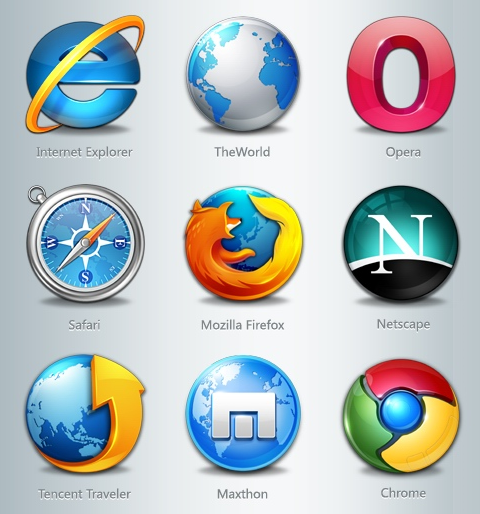
  • Best internet browsers for android device

    Smartphones are taking over traditional desktop in terms of internet usage. Here i shall list the best internet browsers for android device. All the popular websites have android, ios, windows phone app version of their website in order to capitalize the huge user base. 


    The percentage of mobile Internet users have risen exponentially. Now a days almost all the website implement responsive design. The website looks differently in different devices and fits perfectly as per screen size. In order to surf internet from smartphones specific browsers are there. These browsers are lightweight but powerful. They also compress the incoming data thus reduce your data usage a lot and hence reduce your bill substantially. 

    Some also have download managers inbuilt with resume capability. Now you can download big files periodically as per your convenient time without worrying to start downloading from the beginning again.

    UC Browser : This awesome browser resides in almost all the android smartphones. From the era where mobile browsers were laggy and least useful, this browser proved its efficiency then. By providing faster browsing, download manager. These are the two aspects for which it gained popularity and respect at that time. Now it has more features and is optional (in the form of Add-ons) so that it can be customized and a user will have his preference of how his mobile browser must be like.  The important features of UC Browser are :-

    • Fast and stable navigation (flawless, hang-free mobile surfing experience)
    • Fast mode (compresses data, speeds up navigation and saves data bill)
    • ADBlock
    • Facebook mode (for realtime facebook-ing)
    • Smart downloads (efficient download manager)
    • Control Videos with Gestures
    • Incognito mode (browse without leaving a trail.)
    • Night Mode


    Opera Mobile : This, according to me, is the 2nd contender though never a competition to UC browser. It is still an efficient browser. The best feature is its turbo mode. This compresses the webpage and thus makes the inflow faster. It also saves data.  Some features worth mentioning are :-


    • Add to home screen ( Add any website directly to your home screen to access your favorite sites even faster )
    • Pull-to-refresh ( Swipe down on any webpage to reload it )
    • Stay in sync ( Sync your phone’s Speed Dial, tabs, bookmarks and now also typed history across all your devices )
    • Stay online ( Opera’s revamped Opera Turbo helps you to browse faster, even on slow or congested networks )
    • Keep it private ( Use Opera’s private tabs to go anywhere on the internet without leaving a trace on your device )


    I have not researched other browsers for smartphones as i am very satisfied using this two browsers. For browsing on a slow (2G) connection, I prefer UC over any other browsers.

    If you have any suggestions please let me know in comments.
  • Major SEO Misconception Explained

    Search engine optimization is one of the main factors of making your blog profitable. For years, millions of people tried to make their site optimized for search engines and hope for the best. But sadly, only a very few of these people really succeeded on making their site seo worth it.


    You might be wondering why and how right? Well, the main reason for a lot of people to fail in making their site productive is that they have fallen into SEO misconceptions and myths, and that's what I'll talk about in this post.

    -Being on the first page of Google means I was successful on search engine optimizing my site.

    Absolutely no! For some it could be yes, but if you hit first page on Google on a keyword that people don't even used to search your site for, then it is totally useless.

    -My site is losing traffic, Google must be penalizing it.

    Nope. Well, Google do penalize site for some heavy and valid reasons (like scam sites, pornography, etc.). But most of the time, your site is losing traffic because of your misled in constantly optimizing and updating your site's content.

    -If a lot of traffic flow into my site, It would mean that I will make huge profit.

    Well, think again! Having a lot of traffic flow on your site does not guarantee any profit especially if the traffic you get was un-targeted or you don't have a call to action on your site for the potential customer to take to. Remember, it's the amount of targeted traffic that counts!


    -Any incoming links are productive and beneficial.

    Not really! Search engine only accounts valid and not fraudulent incoming links. They only record incoming links from reputed sites (sites with pagerank) that has no record of penalty before.

    -Parked domains that have been inactive for years have greater value than new ones.

    Could be true, but it does not help you with search engines. It's a long myth that most people thought inactive domain names are profitable or easy to rank, but the fact is that search engine gives no credit at all to "inactive or parked" domain names, they only give credit to those with real contents.

    And that's it folks! some wrong ideas that was previously thought on search engine optimization. Try not to fall into one of these and make your way to the search engine's first page.
  • Alexa Rank And Why It Is Important ?

    What is Alexa Rank: 
             
    Alexa ranking simply rank websites by the highest traffic, where the top Alexa ranking site today is Google with Alexa ranking of 1.It also give you the country specific ranking from the country that give you the most traffic. It is not really accurate because it uses the browser toolbar and extensions to measure traffic so it mean traffic from only users who have this toolbar or extension installed.


     Why Alexa Rank Is important :

             Alexa rankings might improve a website’s exposure. As an example, they can inform potential advertisement partners and even other webmasters about a website’s potential value. Sites with higher Alexa ranks become more likely to attract potential advertisement partners and/or marketing offers.

    After Google Page Rank most of blogger care about Alexa Rank.I’m also working hard to improve Alexa ranking of TecPhlie, as a result Alexa rank is one among the vital factors that decides the standard growth of a blog or website.

    Alexa rank is of great importance within the world of blogging. The standard of site or a blog, domain age, Google page rank, the score, etc., and another vital issue is decided based on numerous factors, just like the one that’s the Alexa ranking. Over 75th of advertisers to confirm the standard of your website or blog to visualize the Alexa ranking. Better the Alexa rank, the more you’ll get.

    Improving a website’s Alexa ranking is a simple process, that can include:

      Downloading and installing the Alexa toolbar. 
                   Download the Alexa toolbar and use it each day to visit your own web site. You’ll see how your rankings are shooting up in web world. Alexa even offers you the power to co-brand the toolbar along with your own brand and give it away. Download the toolbar here and see the difference in your traffic: 

      Webmasters are advised to search and visit their own site via the tool. Placing the Alexa widget on their site helps encourage site visitors to click on the widget, potentially counting toward building said Alexa rankings.

     Create quality and relevant web content. 
             It’s important to create web content that provides valuable information to web users. High quality web content helps encourage people to visit any website, increasing their overall web authority as a result. 

       Optimize the website.  
              Webmasters can’t get accurate or dramatic results without optimizing their site’s web exposure. The simplest optimization techniques involve inserting choice Alexa-related keywords and building a healthy list of backlinks.

      Encourage readers to add your Alexa listing for your own website.
           Encourage your web site guests to feature their positive testimonials on Alexa’s elaborated listings page for your site. This could be done by inserting a link to the suitable Alexa page on your site and asking audience to “Click here to rate this website”. You’ll find in depth Alexa page here:
    http://www.alexa.com/siteinfo/tecphlie.in


    PS:
     Alexa Rank depends on the percentage of your users that have the Alexa toolbar installed. So,even you are getting 1000 visitors day,and 900 of them don't have Alexa toolbar Installed,they will not be included.You need readers who have Alexa Toolbar installed on there system.
  • Dummies Guide To Choose Blog Name

    This post is about how you can choose a better blog name,that you don't have to regret later. I have seen many bloggers, who were going through (or about to go through) re-branding of their blog.The name they pick initially was not that much appealing. 


    So whether you are existing blogger or new one,choosing name is most thoughtful task So, I can’t promise you “THREE EASY STEPS!!!!” to naming your blog. IF ONLY it were that easy. It’s a process to get to a blog name that you’ll truly love. But doesn’t a little sweat, frustration, tears, & I’ll-never-pick-a-good-one whining make that light-bulb moment all the more satisfying?


    To get a cool catchy and awesome blog name,you have to divide this naming process into two different modules ,which can be explained as:


    • Explore area and foundation of your blog
    • Vet your Blog name


    In this post, I’ll tackle the first part of the process. And tomorrow, I’ll show you how to vet your top contenders to ensure you pick a blog name you won’t regret.


    Explore area and foundation of your blog


        Identify Your Blog area :
                              
    I imagine if you’re starting a new blog, you already have an idea of what you want to write about. If you’re rebranding, this might mean you’re narrowing your focus, expanding your focus, or doing what I’m doing, which is leaving my focus the same.

    Jot down the topics you’ll be writing about and then any words associated with those topics. For example, if you had a food blog, you might write down obvious words like “cooking” or “kitchen” but go further and think: utensils, cooking methods, fave ingredients, how food/cooking makes people feel (comfort, enjoy), how people describe food (delicious, savory), etc.

    Brainstorming all these words helps spark blog name ideas, so write down a word even if you know you wouldn’t use it for your blog. You’d be surprised how just writing words down can springboard into more words (one of which just might end up being part of your blog name).

    Look at your words. Are there words you know you definitely want or don’t want in your blog name? Circle the definites and cross off the “no ways.”

    For example, I knew that I wanted the word “blog” or “blogging” in my name. However, I DIDN’T want “blogger” because I didn’t want to chance people calling me by “__blogger” rather than my name.

         Explore your Blog Tone :
                                  Next, really give some thought to your blog’s tone. A good blog name should align with how you want your blog to feel. The mood you want to exude (oooh I can rhyme). Is your writing sassy? Serious? Hilarious? Sarcastic?

    Even if you write about many topics, your tone brings it all together. Write down some words that describe your tone. What words would you want your readers to use to describe your blog? These words may or may not be a part of your blog name, but they’ll help you pinpoint the feel of your blog. And a good blog name should match that feel.

       Define your Target Audience : 
                                        Who is your audience or potential audience? Are they mostly women? Mostly men? Why do they come to your blog (or if you have no blog yet– why do you want people to come to your blog)? To be entertained? To laugh? To learn something? 

    Because they’re curious about your life? You can have more than one answer. Is there an audience you want to attract, but aren’t at the moment? List some characteristics of your ideal target audience. You want your blog name to resonate with them.

    For example, if your blog readers love that you make them laugh, then a bland name won’t be as effective as a name with a tinge of humor.

       Find Your Competitors :
                                     No you’re not trying to steal their name, or even play off of it. But looking at blogs you like can spark creativity that leads you in the right direction. Read through their taglines, sidebars, and a post or two. You don’t have to spend much time on this, but if anything, it can get you in the creative spirit by looking at other creative blogs.

    The “PHLIE” part of my blog name came from a sentence smack in the middle of someone’s blog post about productivity. It was a blog for entrepreneurs and one I’ve never visited before. I wasn’t even THINKING about my blog name at the time. I simply clicked on a link to read an article. “Phlie” was one single word in the middle of a sentence and the post had nothing to do with blogging, but as soon as I saw it, I KNEW “TecPhlie” was it.

      Write Down Name That Hit You :
                        Once you’ve done those three steps, look at the words and notes you jotted down in the previous steps and then start writing down name ideas. You might pair two words together. Or start with a word and add something to it (like -ista, or -ed).

    Even if you think your ideas suck, they might pave the way to THE ONE. Give yourself permission to explore ideas and words, rather than feeling you have to go down one path and one path only.

      Short List The Name are Best :
                               Okay good. Now we’re getting somewhere. Take a look at your names and consider your topics, tone, and audience. Circle the one (or ones) you think might work. When you have one you really, really love (or a few you’re considering), it’s time to analyze the names.

    That’s when you mosey along to STEP 2: Vetting Your Blog Name. Adjust this process as you need to in order to work best for you! Remember there’s no ONE way to come up with a blog name; this is just a way you could approach the naming the process.                                    


  • Best platforms to host your Own Blog

    Weblogs are an easy way to get content up on the web. Using templates, you can post to a blog quickly without knowing HTML, CSS, or design. They also offer tools like comments, automatic RSS feed generation, and much more. Using blog software to manage your website is a smart move for anyone who wants to handle a lot of regularly updating content. Blogs are one of the simplest examples of content management, as they take basic content and do things like add HTML tags and hyperlink URLs so you don't have to. 


    With these software programs, you'll have your blog up and running in a matter of minutes. And with the better blog software, you can create static pages and manage things like forms and other data just like a full-featured CMS.

    1. WordPress

    WordPress is a publishing platform that relies on PHP and a database to make your blog entries load quickly and update immediately. I love the password protected posts feature, and it is really easy to install and use.WordPress can be used  for most of the blogs, and several of the non-blog websites as well. WordPress includes features like: 
    • Hundreds of free and paid themes to style your site 
    • Thousands of plugins to extend your site and make it do even more 
    • Static pages that are outside the blog structure, but are maintained in WordPress just like a post 
    • Comments, RSS and Atom feeds, and password protection on pages and posts 
    • Categories and tags to organize your site 
    • Built-in navigation and links 

    WordPress is one of the most popular blogging tools around, and because of this there are even more templates, themes, and plugins to extend your site. If you don't want to maintain your blog yourself you can use the hosted service at WordPress.com instead.

    2. Movable Type 

    I used Movable Type for years. It is a lot more than just a blog. Instead it is a full publishing system that you can use to maintain your entire website. There are several versions of the MT software depending upon what type of license you need. Movable Type (Pro) includes features like:
    • Multiple websites supported with just one installation of the MT software
    •  Revision history for tracking changes to pages, entries, and templates 
    • Custom fields let you organize and manage data on your site Build forums and other community including social media interaction 
    • Scalable features like Oracle Database support (MT Advanced) Open source version for developers to add even more features


    3. Blogger 

    Blogger is an online blogging platform owned by Google. It is very easy to sign up for an account on blogger and be writing your blog in just a few minutes. Blogger is different from WordPress because it is only a blogging platform. If you want blog software to run your entire site you will need to choose something else. But Blogger, because it is owned by Google, has great integration with Google AdWords so you can easily sell advertising on your site and make a little money. Most other blog software requires that you install a plugin to use AdWords. Blogger.com is sometimes known by another name—Blogspot.com. But these both are owned by Google and point to the same blogging software.


  • WHAT WE DO

    We've been developing corporate tailored services for clients for 30 years.

    CONTACT US

    For enquiries you can contact us in several different ways. Contact details are below.

    RUDER FINN INDIA

    • Street :Unit 001A, Tower B, Ground Floor, Global Business Park, MG Road, Gurgaon – 122002, INDIA
    • Person :Radha Roy
    • Phone :91 124 388 2870
    • Country :India
    • Email :royr@ruderfinnasia.com

    Radha Roy.

    Radha Roy Country Head 91 124 388 2870 royr@ruderfinnasia.com Unit 001A, Tower B, Ground Floor, Global Business Park, MG Road, Gurgaon – 122002, INDIA